How to Manage Instagram Story Highlights from Desktop
Create, edit and organize Instagram Story Highlights directly from your computer using Instagram Web.

Hanna Laas
Published 6 Apr 2026
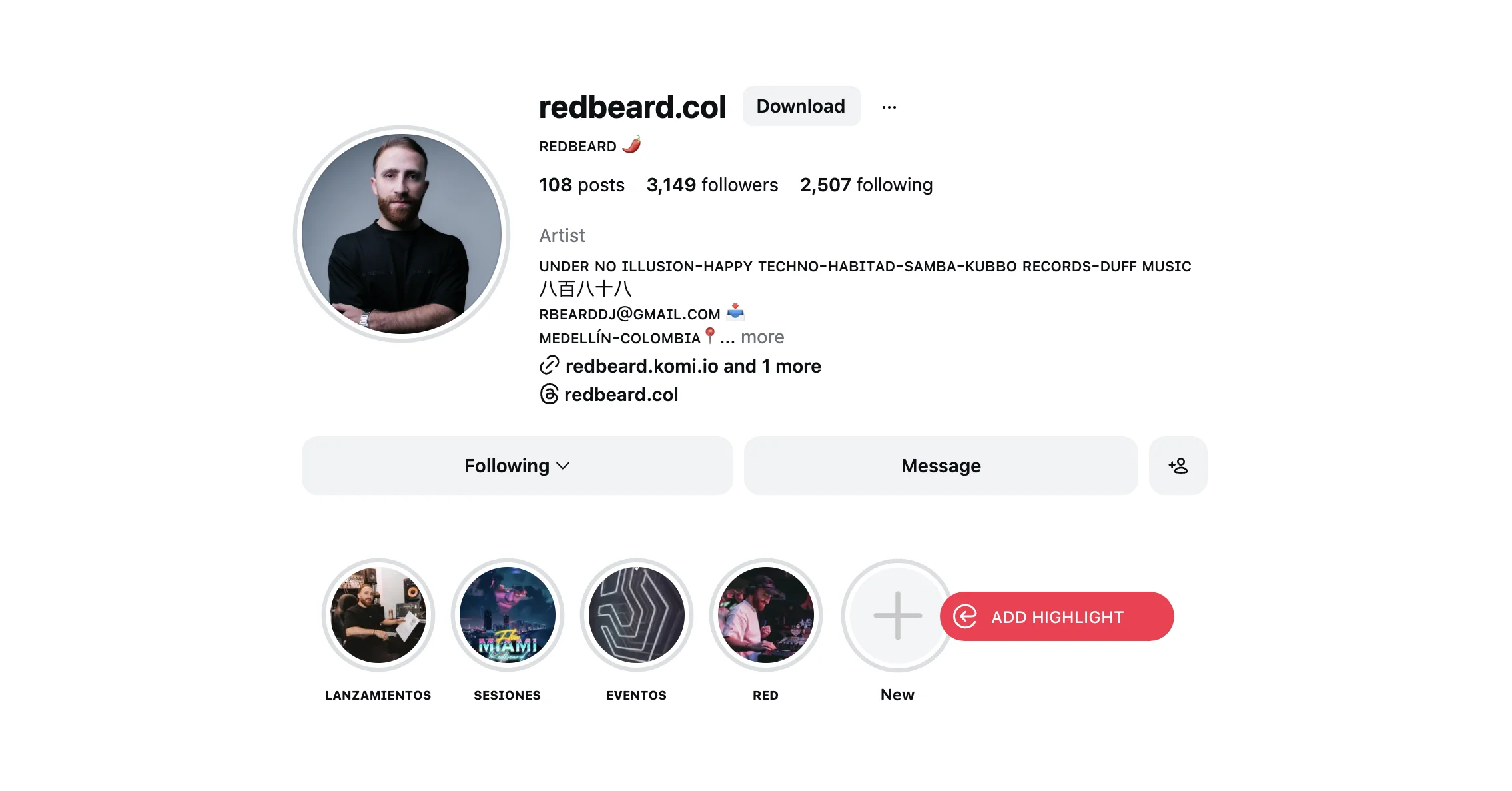
Table of contents
Story Highlights let you pin your best Instagram stories to your profile permanently, organized into themed collections. Instagram supports creating and managing highlights directly from your desktop browser.
What Are Instagram Story Highlights?
Stories disappear after 24 hours, but Highlights keep your best content visible on your profile indefinitely. They appear as circular icons below your bio and above your post grid - perfect for showcasing product categories, FAQs, testimonials, portfolio pieces, or any content you want visitors to see first.
Before You Start: Enable Story Archiving
For stories to appear in the highlights selection menu, you need to have story archiving turned on:
- Go to Instagram.com/accounts/settings/v2/archiving_and_downloading/
- Turn ON "Save story to archive"
From then on, any story you publish will be saved to your archive and available for highlights immediately. Stories published before enabling this setting will not be archived.
How to Create a New Highlight from Desktop
- Go to Instagram.com and navigate to your profile
- Click the [+] New button in the highlights row (the circle with a plus icon)
- Enter a name for your highlight
- Click Next
- Select stories from your archive to include
- Click Done to save
How to Add Stories to an Existing Highlight
- Go to your profile and open the highlight you want to edit
- Click the three dots button [...] in the top right corner of the highlight viewer
- Select Edit
- Click Next to see your story archive
- Select additional stories to add (or deselect stories to remove)
- Click Done to save changes
How to Delete a Highlight
- Open the highlight you want to remove
- Click the three dots button [...] in the top right corner
- Select Delete
- Confirm the deletion
Deleting a highlight does not delete the original stories from your archive.
Tips for Using Story Highlights Effectively
- Keep names short - highlight names are truncated on profile, so use 1-2 words
- Use custom covers - create branded cover images for a cohesive profile look
- Order matters - the most recently edited highlight appears first on your profile
- Combine with INSSIST - use INSSIST to publish stories from desktop, then add them to highlights right from the same browser
Using Highlights with INSSIST
INSSIST and Instagram's native highlight management work seamlessly together. A typical desktop workflow looks like this:
- Create and publish stories using INSSIST's story publisher (with music, mentions, links, and stickers)
- Add published stories to highlights using Instagram's built-in highlight editor on your profile
- Manage your content calendar by scheduling future stories in INSSIST
This gives you a complete desktop-only workflow for Instagram content management - no phone needed.
Frequently Asked Questions
Can I add a currently active story to a highlight?
Yes. As long as story archiving is enabled, your stories are available for highlights immediately after publishing.
Can I create highlights from older stories?
Yes, as long as story archiving is enabled in your Instagram settings. You can add any archived story to a highlight, regardless of when it was posted.
Do I need INSSIST to manage highlights?
No. Highlight management is a native Instagram Web feature. INSSIST enhances your workflow by letting you publish stories, schedule content, and add music and stickers from desktop - but the highlights themselves are managed through Instagram's interface.
Why don't I see any stories in the highlights selection menu?
Make sure story archiving is enabled in your Instagram settings. Only stories published after enabling this setting are saved to your archive.
Why don't I see the [+] New button on my profile?
Make sure you're viewing your own profile (not someone else's). The highlight creation button only appears on your own profile page.
Latest posts
INSSIST & Instagram Insights
Learn Instagram marketing strategies and discover INSSIST features

Hanna Laas
10 Sep 2025


Ethan Campbell
1 Sep 2025

Ethan Campbell
9 Sep 2025

Hanna Laas
1 Aug 2025


Hanna Laas
1 Jul 2025

Ethan Campbell
12 Apr 2026

Supercharge your Instagram
Join over 500,000+ creators growing with INSSIST.